Docs / Bottom bars / 08
WaveBottomBar
Bar with a rolling wave edge: every tab floats in its own dip, and the selected ring fills into a solid orb.
Preview
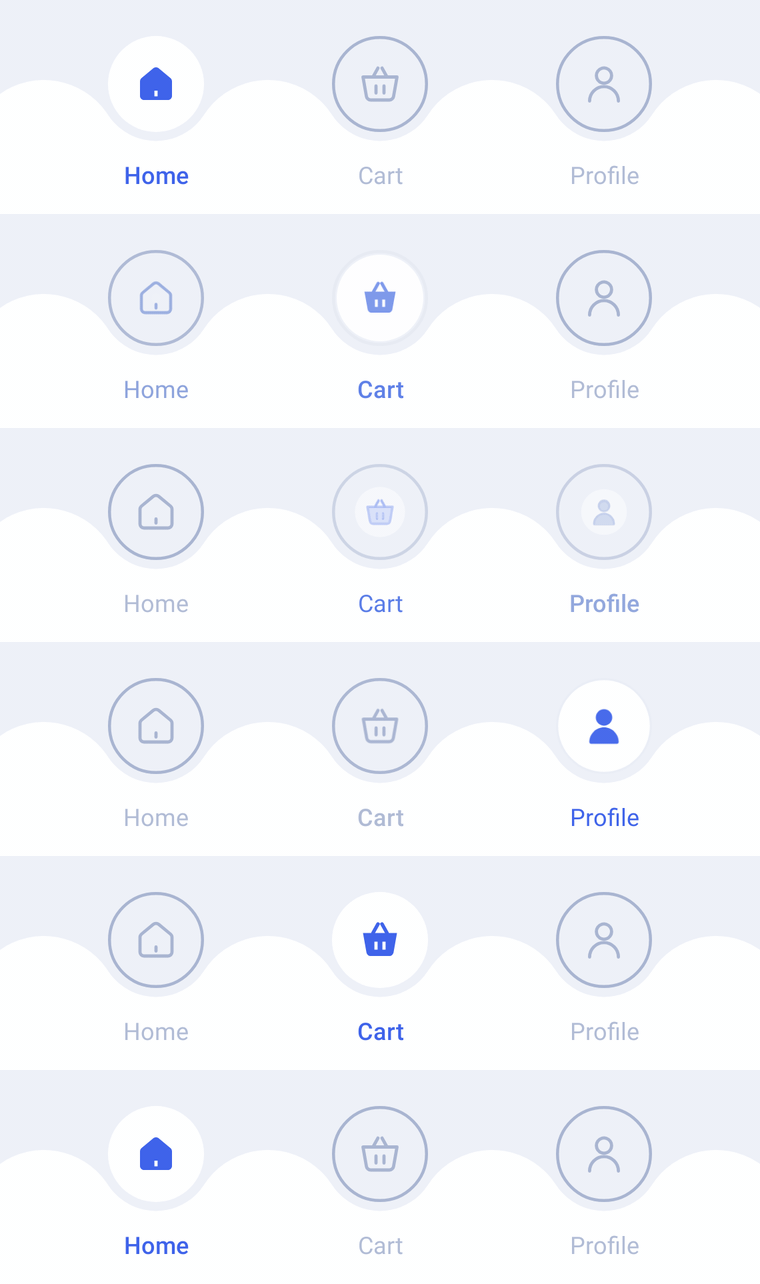
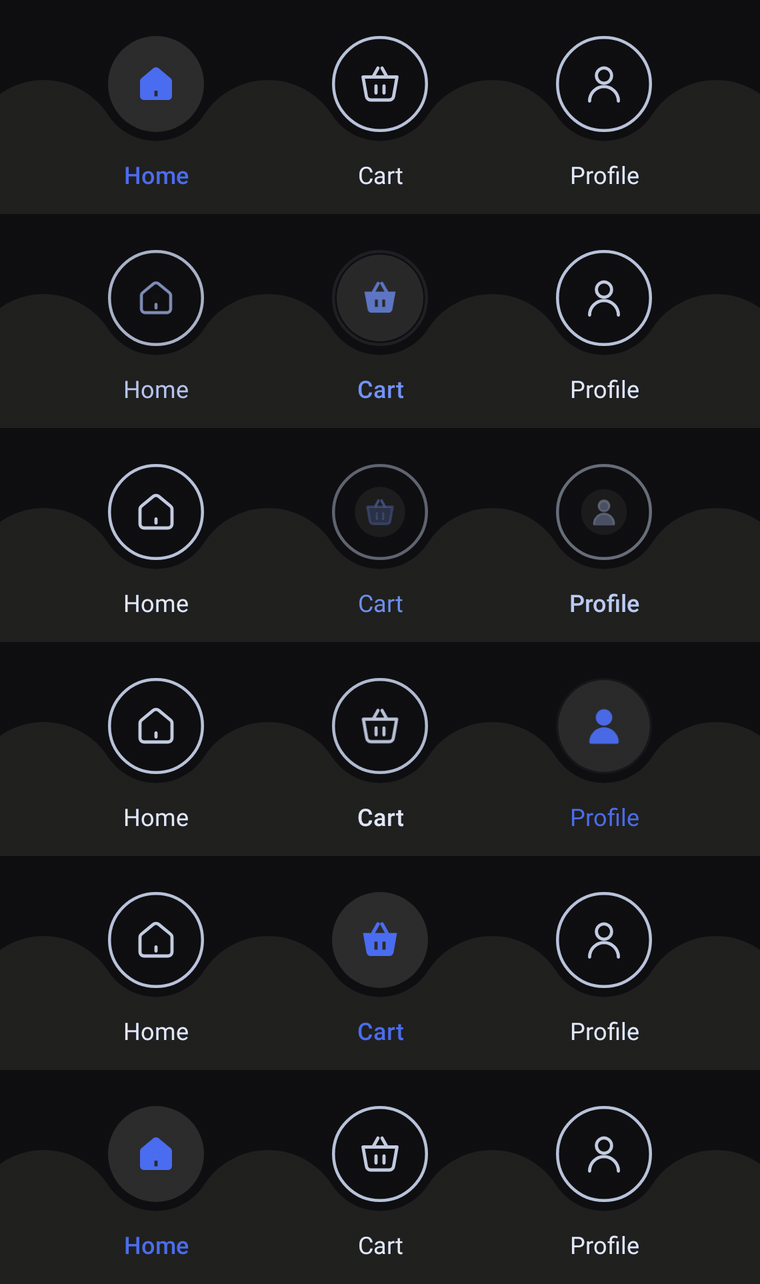
A flat bar whose top edge rolls in a wave, with every tab floating in its own dip. Unselected tabs show their icon in a thin ring; the selected ring springs into a solid orb with a filled icon, and its label turns the accent color.
Usage
WaveBarItem has no center orb: every tab gets its own dip and orb, and any tab can be selected. Slots share the width equally, so 3 or 4 items look best (3 fit the design); with more, the crests between dips get sharper. Unselected tabs show icon inside a ring; the selected one fills in and shows selectedIcon.
import com.nameisjayant.bottombar.wave.WaveBarItem
import com.nameisjayant.bottombar.wave.WaveBottomBar
import com.nameisjayant.bottombar.wave.WaveBottomBarDefaultsval items = listOf(
WaveBarItem("Home", Icons.Outlined.Home, Icons.Filled.Home),
WaveBarItem("Cart", Icons.Outlined.ShoppingCart, Icons.Filled.ShoppingCart),
WaveBarItem("Profile", Icons.Outlined.Person, Icons.Filled.Person),
)
WaveBottomBar(
items = items,
selectedIndex = selectedIndex,
onItemClick = { selectedIndex = it },
)Sizing and behavior
Every orb is OrbSize (48dp) wide and sits in a dip that leaves an OrbGap (4.5dp) gap around it, so the page behind the bar shows through as a thin outline. The crests between dips rise level with the orbs' middle, and the body under them is BarHeight (67dp) tall, with its background extending under the navigation bar. Pass shadowElevation for a shadow (API 30+, since the outline is concave).
Colors
Colors come from WaveBottomBarDefaults.colors(darkTheme), lightColors(...) and darkColors(...). Start from either palette and override only what you need.
| Color | Used for |
|---|---|
containerColor | The bar background |
selectedOrbColor | Fill of the selected tab's orb |
selectedContentColor | Icon and label of the selected tab |
ringColor | Ring around unselected orbs |
unselectedContentColor | Icons of the other tabs |
unselectedLabelColor | Labels of the other tabs |
WaveBottomBar(
    items = items,
    selectedIndex = selectedIndex,
    onItemClick = { selectedIndex = it },
    // Follow your app's theme instead of the system one.
    colors = WaveBottomBarDefaults.colors(darkTheme = isDarkTheme),
)
API
The full signature of the composable and its item class:
fun WaveBottomBar(
    items: List<WaveBarItem>,
    selectedIndex: Int,
    onItemClick: (index: Int) -> Unit,
    modifier: Modifier = Modifier,
    colors: WaveBottomBarColors = WaveBottomBarDefaults.colors(),
    labelStyle: TextStyle = WaveBottomBarDefaults.LabelStyle,
    shadowElevation: Dp = 0.dp,
    windowInsets: WindowInsets = WaveBottomBarDefaults.windowInsets,
)

class WaveBarItem(
    val label: String,
    val icon: ImageVector,
    val selectedIcon: ImageVector = icon,
)