Docs / Bottom bars / 04
ValleyBottomBar
Bar whose whole top edge sags in one curve under a glowing orb, which presses into the valley when selected.
Preview
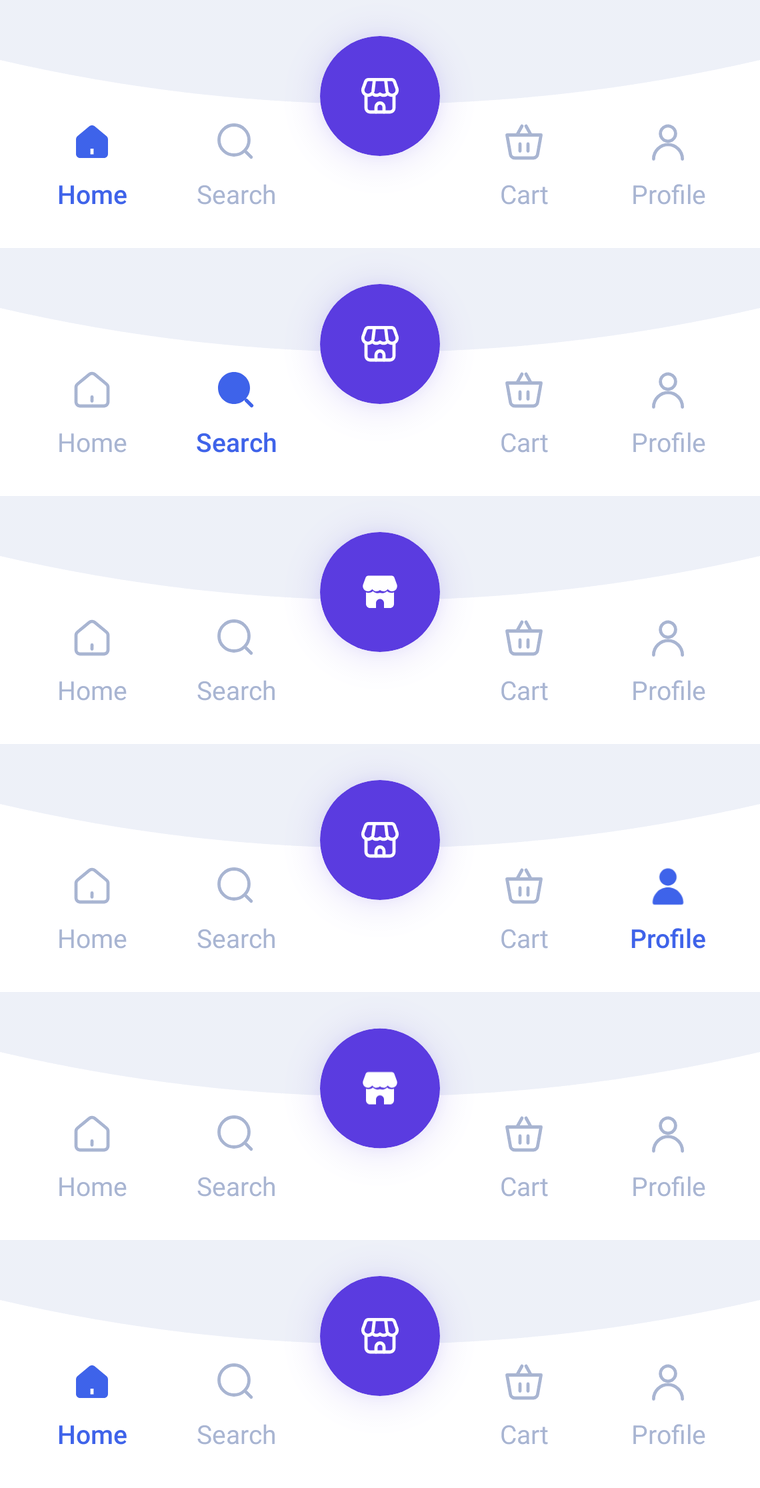
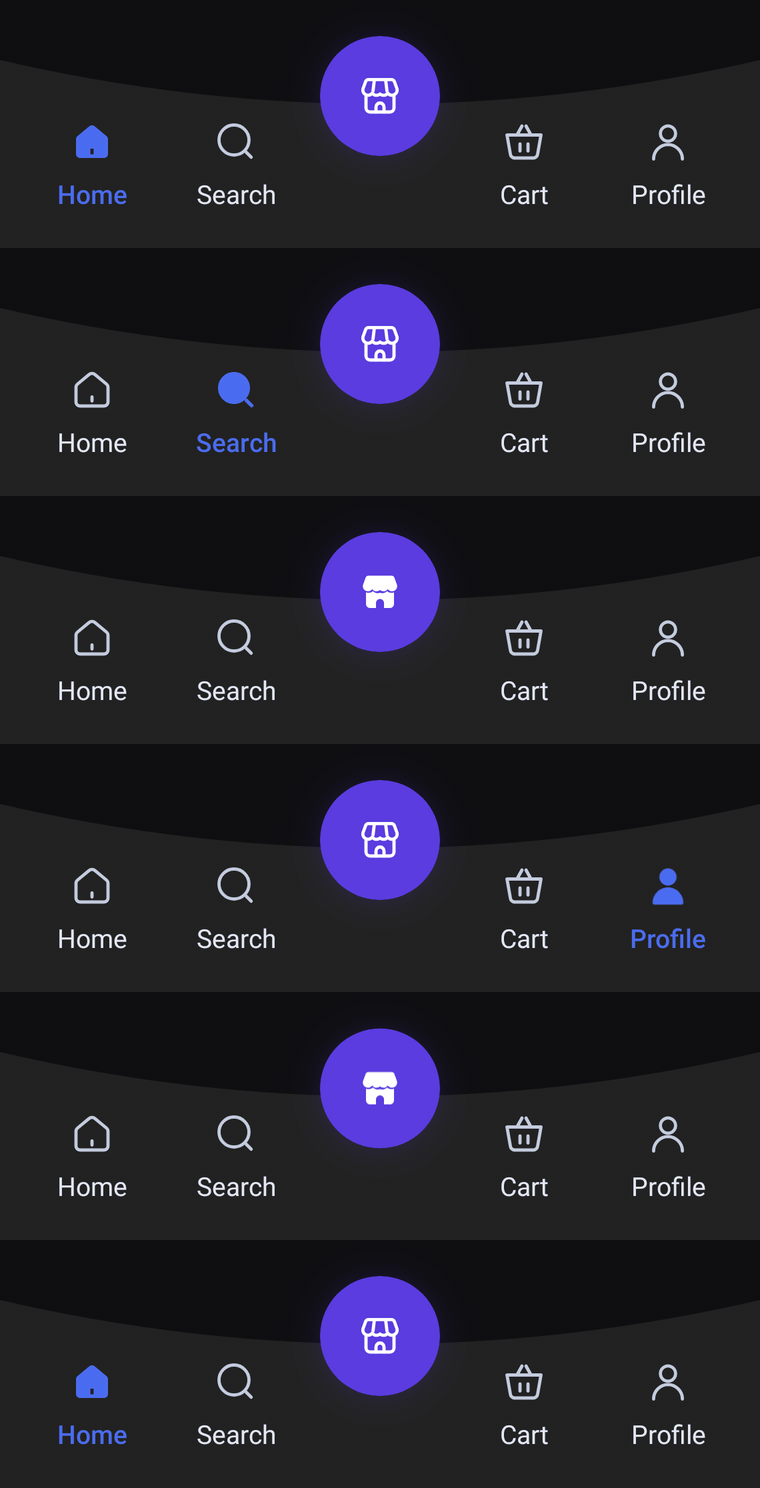
A bar whose whole top edge sags in one smooth curve, with a glowing orb resting in the low point. Icons and labels always show; when the orb is selected it presses into the valley, which sinks with it and springs back.
Usage
ValleyBarItem follows the same rules: the middle item becomes the orb resting in the valley, so pass an odd number of items. Every side tab shows its icon and label; the selected one switches to its selectedIcon and takes selectedContentColor.
import com.nameisjayant.bottombar.valley.ValleyBarItem
import com.nameisjayant.bottombar.valley.ValleyBottomBar
import com.nameisjayant.bottombar.valley.ValleyBottomBarDefaultsval items = listOf(
ValleyBarItem("Home", Icons.Outlined.Home, Icons.Filled.Home),
ValleyBarItem("Search", Icons.Outlined.Search, Icons.Filled.Search),
ValleyBarItem("Store", Icons.Outlined.Storefront, Icons.Filled.Storefront), // the orb
ValleyBarItem("Cart", Icons.Outlined.ShoppingCart, Icons.Filled.ShoppingCart),
ValleyBarItem("Profile", Icons.Outlined.Person, Icons.Filled.Person),
)
ValleyBottomBar(
items = items,
selectedIndex = selectedIndex,
onItemClick = { selectedIndex = it },
)Sizing and behavior
The bar is BarHeight (94dp) tall at its outer corners, and its top edge sags ValleyDepth (22dp) at the center. The 60dp orb (OrbSize) rises OrbOverhang (12dp) above the corners, inside the bar's own bounds, and casts a glow in its own color (OrbElevation). ContentPadding sets the space between the sides and the outer tabs. As with Dome and Cradle, shadowElevation defaults to 0.dp and needs API 30+ because of the concave outline.
Colors
Colors come from ValleyBottomBarDefaults.colors(darkTheme), lightColors(...) and darkColors(...). Start from either palette and override only what you need.
| Color | Used for |
|---|---|
containerColor | The bar background |
selectedContentColor | Icon and label of the selected side tab |
unselectedContentColor | Icons of the other side tabs |
unselectedLabelColor | Labels of the other side tabs |
orbColor | Fill of the center orb and its glow |
orbContentColor | Icon inside the orb |
ValleyBottomBar(
    items = items,
    selectedIndex = selectedIndex,
    onItemClick = { selectedIndex = it },
    // Follow your app's theme instead of the system one.
    colors = ValleyBottomBarDefaults.colors(darkTheme = isDarkTheme),
)
API
The full signature of the composable and its item class:
fun ValleyBottomBar(
    items: List<ValleyBarItem>,
    selectedIndex: Int,
    onItemClick: (index: Int) -> Unit,
    modifier: Modifier = Modifier,
    colors: ValleyBottomBarColors = ValleyBottomBarDefaults.colors(),
    labelStyle: TextStyle = ValleyBottomBarDefaults.LabelStyle,
    shadowElevation: Dp = 0.dp,
    windowInsets: WindowInsets = ValleyBottomBarDefaults.windowInsets,
)

class ValleyBarItem(
    val label: String,
    val icon: ImageVector,
    val selectedIcon: ImageVector = icon,
)