Docs / Bottom bars / 06
GableBottomBar
Floating bar with a roof-like peak; the selected icon lifts into a bubble that glides along the slope.
Preview
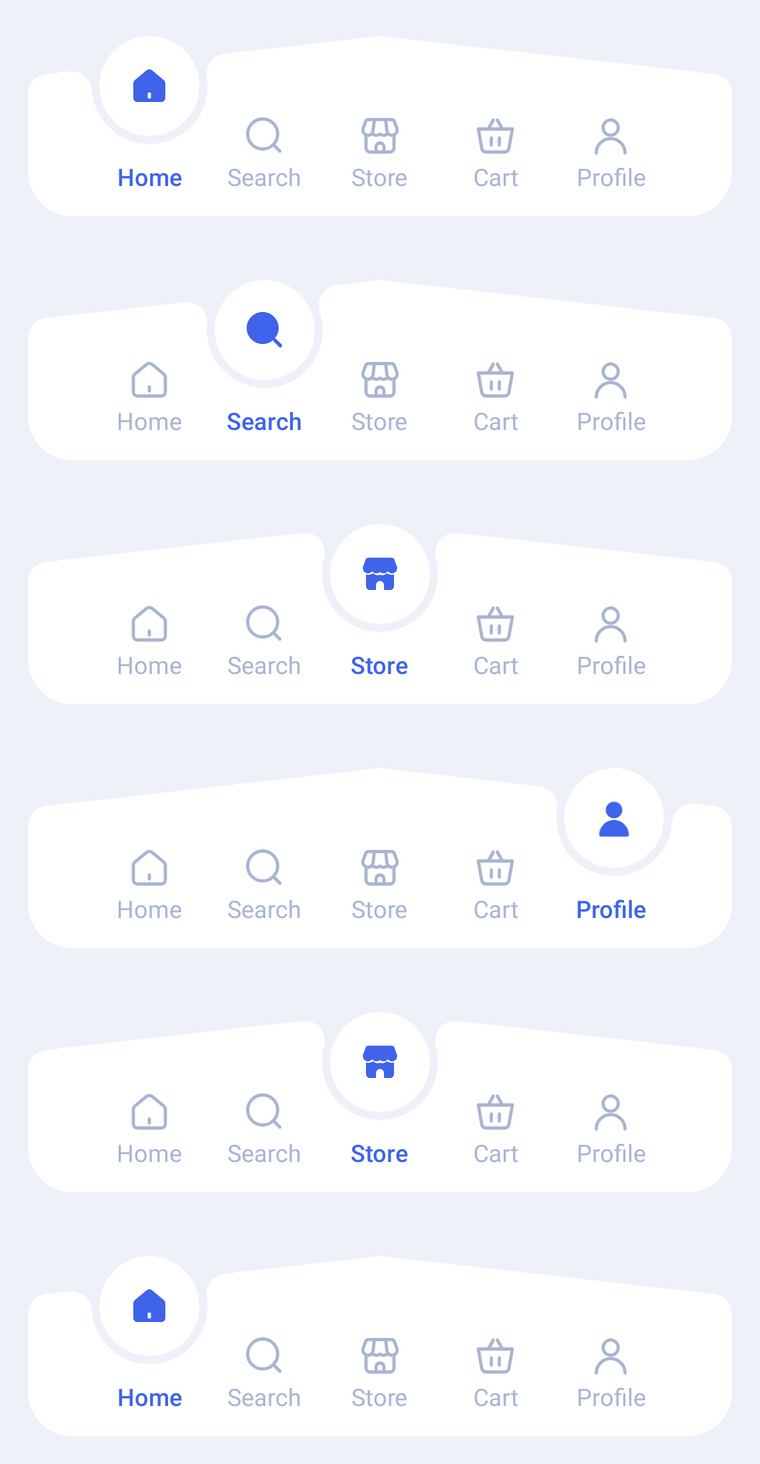
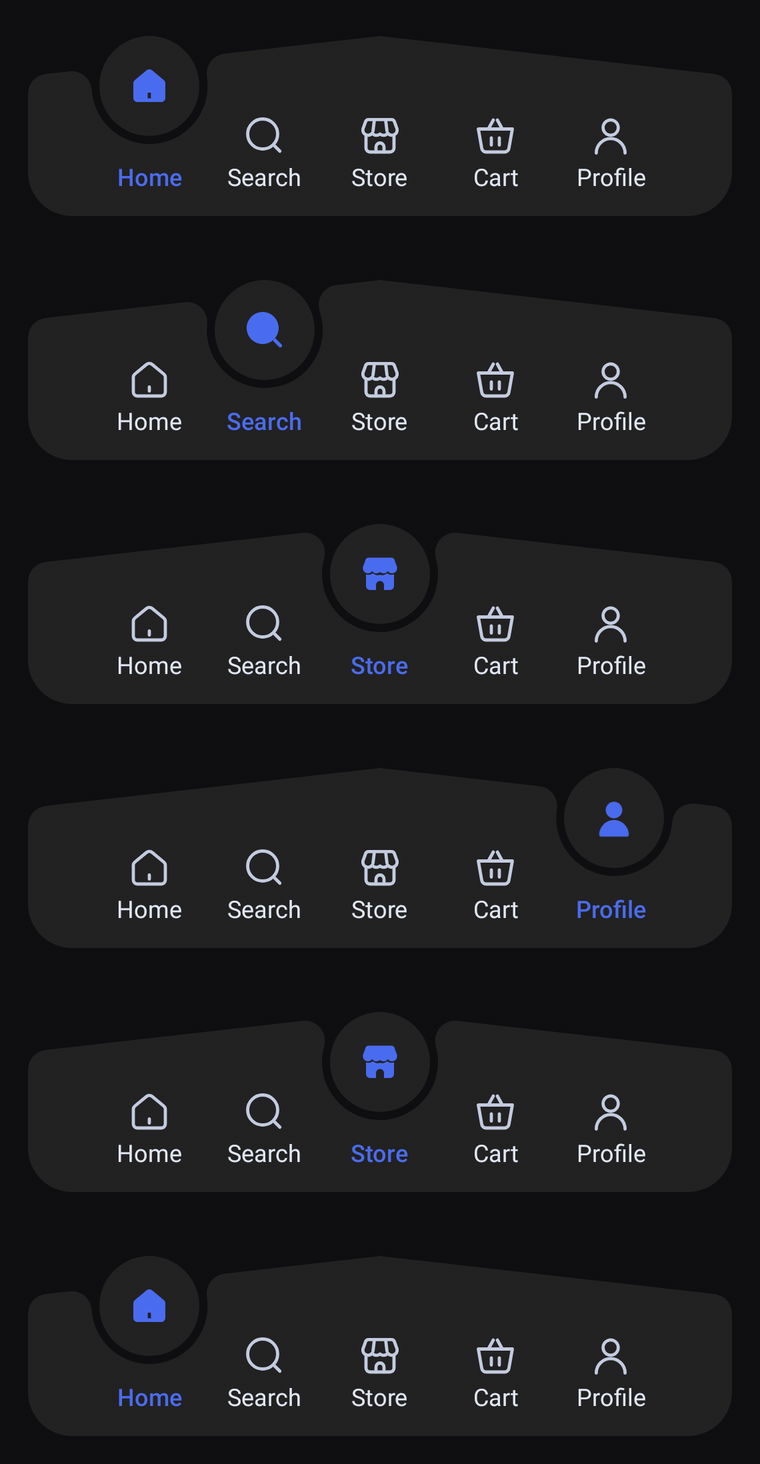
A floating bar whose top edge rises like a roof to a peak in the middle. The selected icon lifts into a bubble resting in a socket cut into the slope, and both glide along the roof line from tab to tab.
Usage
GableBarItem works like SocketBarItem: there is no center orb, so any tab can be selected into the bubble, and any number of items works (5 fit the design). Every tab shows its label; the selected one's icon lifts into the bubble as its selectedIcon, and its label takes selectedContentColor.
import com.nameisjayant.bottombar.gable.GableBarItem
import com.nameisjayant.bottombar.gable.GableBottomBar
import com.nameisjayant.bottombar.gable.GableBottomBarDefaultsval items = listOf(
GableBarItem("Home", Icons.Outlined.Home, Icons.Filled.Home),
GableBarItem("Search", Icons.Outlined.Search, Icons.Filled.Search),
GableBarItem("Shop", Icons.Outlined.Store, Icons.Filled.Store),
GableBarItem("Cart", Icons.Outlined.ShoppingCart, Icons.Filled.ShoppingCart),
GableBarItem("Profile", Icons.Outlined.Person, Icons.Filled.Person),
)
GableBottomBar(
items = items,
selectedIndex = selectedIndex,
onItemClick = { selectedIndex = it },
// The bar floats, so keep it off the screen edges.
modifier = Modifier.padding(horizontal = 16.dp, vertical = 12.dp),
)Sizing and behavior
The body is BarHeight (70dp) tall at its ends and its top edge rises PeakRise (20dp) to a peak in the middle. The 50dp bubble (BubbleSize) always lines up with the peak, so it stands higher above the slope the further it is from the middle. The socket is shaped by SocketGap (the see-through ring around the bubble) and SocketShoulderRadius, the corners by TopCornerRadius and BottomCornerRadius, and ContentPadding sets the space between the ends and the outer tabs. The bar has no outer margin of its own, so pass one through modifier. shadowElevation defaults to 0.dp and needs API 30+ because of the concave outline.
Colors
Colors come from GableBottomBarDefaults.colors(darkTheme), lightColors(...) and darkColors(...). Start from either palette and override only what you need.
| Color | Used for |
|---|---|
containerColor | The bar background |
bubbleColor | Fill of the bubble; matches containerColor by default |
selectedContentColor | Icon inside the bubble and the selected tab's label |
unselectedContentColor | Icons of the other tabs |
unselectedLabelColor | Labels of the other tabs |
GableBottomBar(
    items = items,
    selectedIndex = selectedIndex,
    onItemClick = { selectedIndex = it },
    // Follow your app's theme instead of the system one.
    colors = GableBottomBarDefaults.colors(darkTheme = isDarkTheme),
)
API
The full signature of the composable and its item class:
fun GableBottomBar(
    items: List<GableBarItem>,
    selectedIndex: Int,
    onItemClick: (index: Int) -> Unit,
    modifier: Modifier = Modifier,
    colors: GableBottomBarColors = GableBottomBarDefaults.colors(),
    labelStyle: TextStyle = GableBottomBarDefaults.LabelStyle,
    shadowElevation: Dp = 0.dp,
    windowInsets: WindowInsets = GableBottomBarDefaults.windowInsets,
)

class GableBarItem(
    val label: String,
    val icon: ImageVector,
    val selectedIcon: ImageVector = icon,
)