Docs / Bottom bars / 19
SpotlightBottomBar
Floating rounded bar where a tinted panel with an accent top line lights up the selected tab and stretches as it slides.
Preview
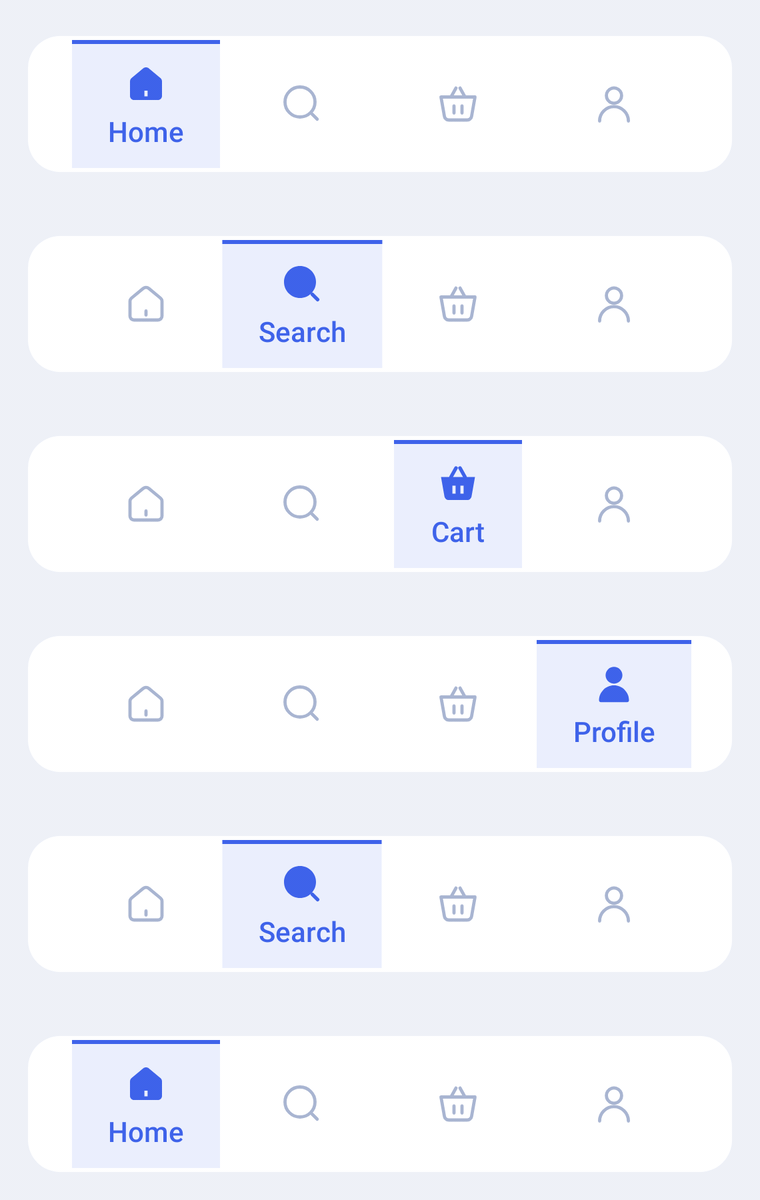
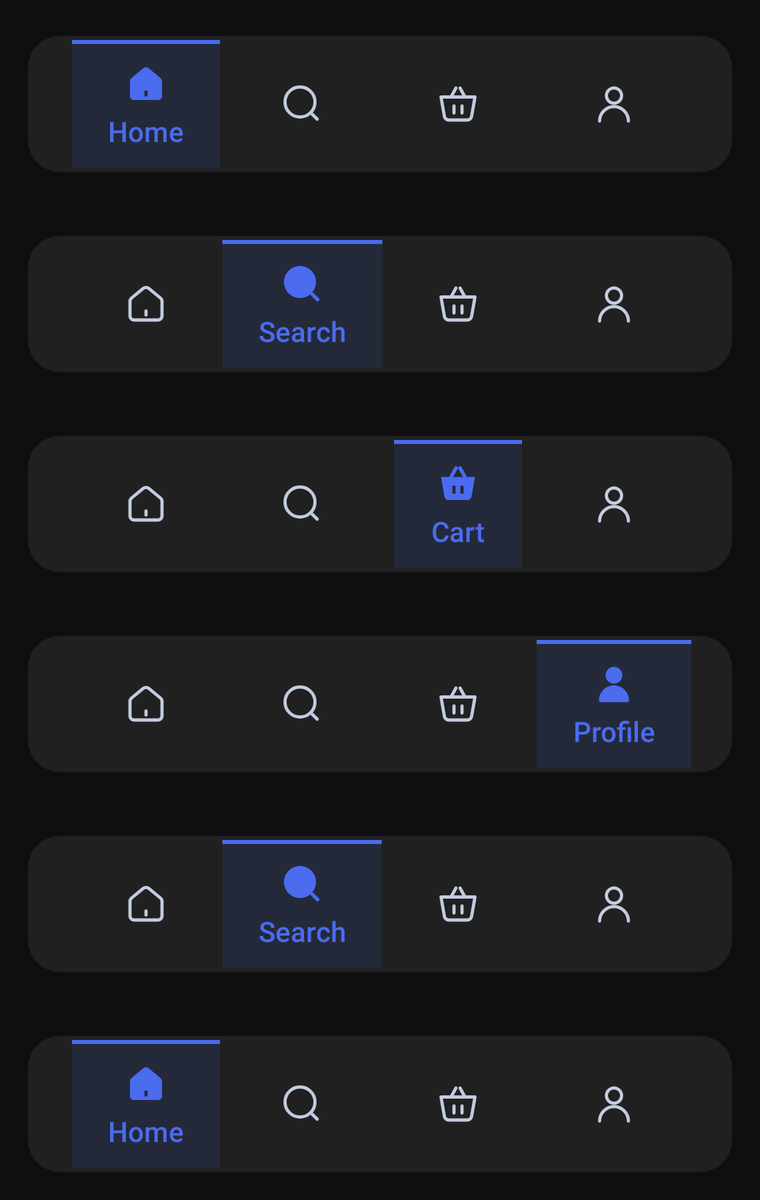
A floating, rounded bar of icon-only tabs. The selected tab sits in a tinted panel with an accent line along its top, its icon filled in and lifted over its label. The panel stretches as it slides to the next tab and resizes to fit its label.
Usage
SpotlightBarItem has no center item: any tab can be selected, and every slot gets the same width. The bar only shows icons until a tab is selected; the selected one switches to its selectedIcon, lifts it and shows its label underneath. The rest of the time label is read out by TalkBack.
import com.nameisjayant.bottombar.spotlight.SpotlightBarItem
import com.nameisjayant.bottombar.spotlight.SpotlightBottomBar
import com.nameisjayant.bottombar.spotlight.SpotlightBottomBarDefaultsval items = listOf(
SpotlightBarItem("Home", Icons.Outlined.Home, Icons.Filled.Home),
SpotlightBarItem("Wallet", Icons.Outlined.AccountBalanceWallet, Icons.Filled.AccountBalanceWallet),
SpotlightBarItem("Analysis", Icons.Outlined.PieChart, Icons.Filled.PieChart),
SpotlightBarItem("Profile", Icons.Outlined.Person, Icons.Filled.Person),
)
SpotlightBottomBar(
items = items,
selectedIndex = selectedIndex,
onItemClick = { selectedIndex = it },
modifier = Modifier.padding(horizontal = 16.dp, vertical = 12.dp),
)Sizing and behavior
The bar is BarHeight (68dp) tall with CornerRadius (16dp) corners, and has no outer margin of its own, so pass one through modifier. The panel behind the selected tab fits its label plus IndicatorPadding (18dp) on each side, is never narrower than MinIndicatorWidth (64dp), and stops IndicatorInset (2dp) short of the top and bottom edges. An AccentThickness (2dp) accent line runs along its top. When the selection changes, the panel's edge facing the new tab moves first and the other catches up, so it stretches on the way, then resizes to the new label. The outline is convex, so shadowElevation works on every API level.
Colors
Colors come from SpotlightBottomBarDefaults.colors(darkTheme), lightColors(...) and darkColors(...). Start from either palette and override only what you need.
| Color | Used for |
|---|---|
containerColor | The bar |
indicatorColor | The tinted panel behind the selected tab |
accentColor | The line along the top of the panel |
selectedContentColor | Icon and label of the selected tab (defaults to accentColor) |
unselectedContentColor | Icons of the other tabs |
SpotlightBottomBar(
    items = items,
    selectedIndex = selectedIndex,
    onItemClick = { selectedIndex = it },
    // Follow your app's theme instead of the system one.
    colors = SpotlightBottomBarDefaults.colors(darkTheme = isDarkTheme),
)
API
The full signature of the composable and its item class:
fun SpotlightBottomBar(
    items: List<SpotlightBarItem>,
    selectedIndex: Int,
    onItemClick: (index: Int) -> Unit,
    modifier: Modifier = Modifier,
    colors: SpotlightBottomBarColors = SpotlightBottomBarDefaults.colors(),
    labelStyle: TextStyle = SpotlightBottomBarDefaults.LabelStyle,
    shadowElevation: Dp = 0.dp,
    windowInsets: WindowInsets = SpotlightBottomBarDefaults.windowInsets,
)

class SpotlightBarItem(
    val label: String,
    val icon: ImageVector,
    val selectedIcon: ImageVector = icon,
)